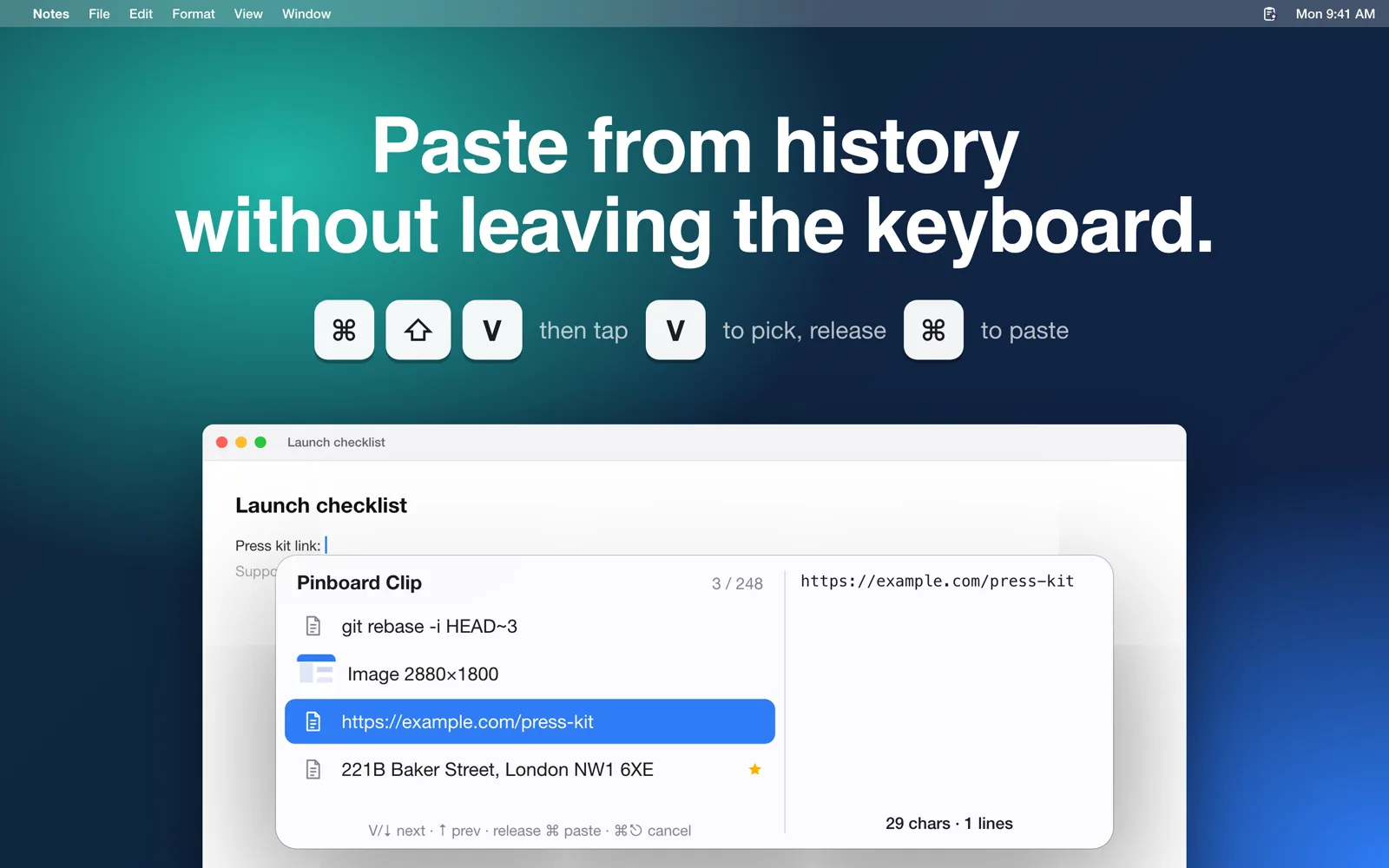
Paste from history without leaving the keyboard.
Hold ⌘ and keep tapping V to step through recent items, with a live preview. Let go and it's pasted into the app you're using.
 Pinboard Clip
A fast clipboard history for your Mac. Text, screenshots and files: everything you copy, ready to paste again.
Free 7-day trial · One-time purchase, no subscription · macOS 14 or later
It runs quietly in the menu bar and keeps a searchable history of everything you copy.
Press ⌘⇧V, tap V to pick, release ⌘ to paste. No mouse needed.
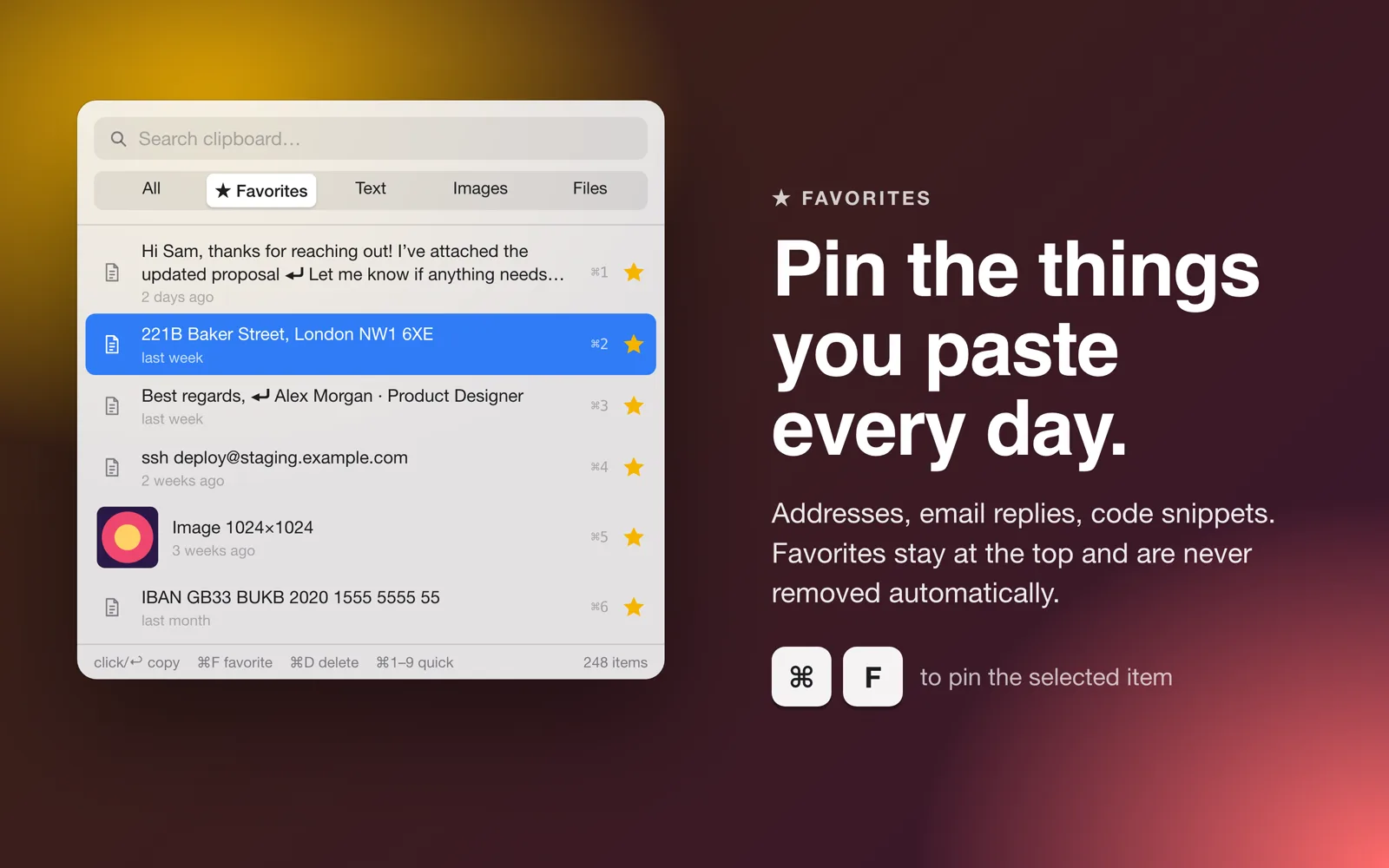
Pin replies, addresses and commands. Favorites stay on top and are never removed automatically.
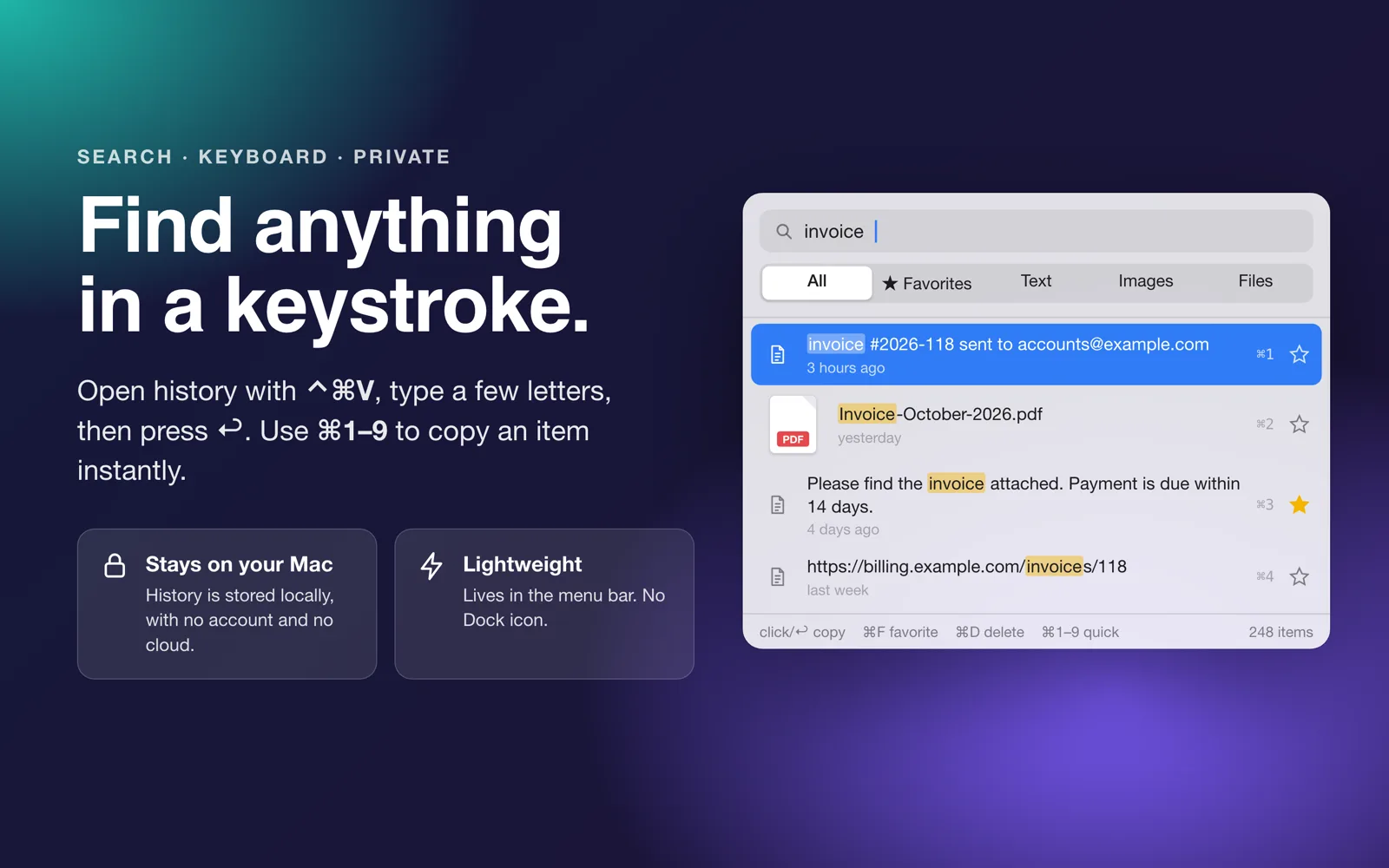
No account, no cloud, no analytics. Password manager entries are skipped automatically.
Hold ⌘ and keep tapping V to step through recent items, with a live preview. Let go and it's pasted into the app you're using.
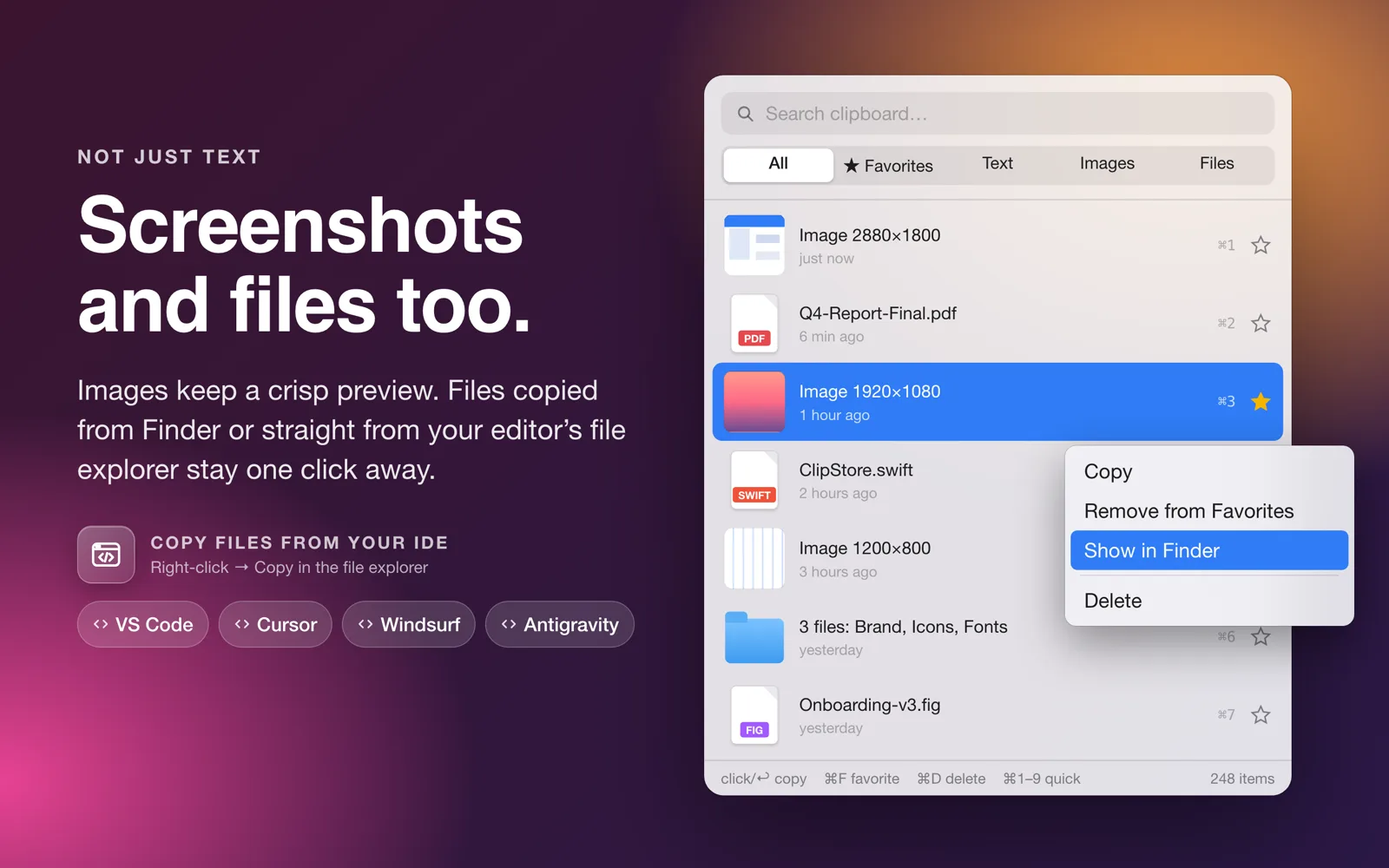
Images keep a sharp thumbnail. Files copied in Finder, or from the file explorer of code editors, stay one click away. Right-click to show them in Finder.
Press ⌘F or click the star. Your favorites get their own tab and are always kept.
Open history with ⌃⌘V, type a few letters, press ↩. Filter by text, images or files.
Everything is one keystroke away.
Try every feature free for 7 days, then unlock Pro with a one-time purchase.
Download on the Mac App Store